
Period, scope & variants
The three controls that decide what the catalog shows: the backtest period every metric is computed over, the scope lens, and the strategy-variant selector.
Before touching a single filter, decide what you're measuring: over which window (Period), from which pool (Scope), and across which strategy families (Strategy Variants).
Period
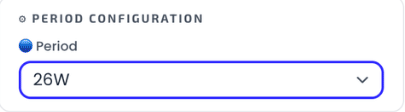
Every metric in the catalog — MAR, CAGR, drawdown, win rate — is computed over the selected period. Changing it recomputes the whole table, which is why the same strategy can rank very differently on a 4-week versus a 52-week window.
This page describes the Simple view, which uses a single period. Switching the Period Configuration header to Advanced splits this one selector into a base and a reference window measured side by side — see wMAR & reference periods.
There are two kinds of period, and they are measured differently:
| Kind | Options | How it's measured |
|---|---|---|
| Rolling windows | 1W (5 trading days) · 2W (10) · 4W (20) · 8W (40) · 12W (60) · 24W (120) · 26W (130) · 52W (260) | The most recent N trading days, anchored to the latest data point — the current partial month is included. |
| Calendar periods | 1M · 3M · 6M · 12M · 24M (completed months) · Total (full history) | The N most recently completed calendar months — the current partial month is excluded. |
The default is 26W (130 trading days, roughly half a year). Because the two kinds are measured differently, similar spans (say 12W and 3M) can produce different numbers — that's expected, not a bug.
Data through

The Data through pill shows the most recent trading day reflected in what you're seeing — a date that is both backtested and in the cache the app reads. New backtest data lands roughly once a week, so a date a few days back is normal, not stale.
Scope
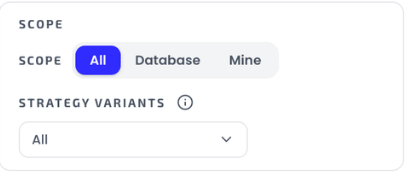
The scope is a lens over one unified strategy pool:
- All (default) — database strategies and your own imports together.
- Database — the curated database only.
- Mine — only strategies you've uploaded via Import. They become first-class strategies and mix freely with the database in the Builder.
Strategy Variants
The variants dropdown filters by strategy family. All variants are derived from one backtest per width / stop / premium / entry-time combination — each variant is a different selection over those same atomic spreads, which is why the family results reconcile exactly.
New to the families themselves? Start with MEIC vs METF vs RATIO — it explains what each family does, when each tends to work, and how they differ, with the data behind it.
| Variant | What it is |
|---|---|
| MEIC Both Sides | Multiple-Entry Iron Condor: every entry sells a put spread AND a call spread, no trend gate. |
| MEIC Put-only / Call-only | The two sides of that same iron condor as standalone strategies — Put-only + Call-only = Both Sides exactly. |
| METF 20-40 / 5-40 / 5-20 (Both) | Multiple-Entry Trend Following: each entry sells a put OR a call spread, picked by that day's EMA trend. The EMA pair only changes how entries split between puts and calls. |
| METF Put-only / Call-only (per EMA pair) | Just the put-side (uptrend) or call-side (downtrend) entries of the gated METF. |
| Ratio 1P:2C / 1C:2P | One big spread (the width/premium shown) against two smaller opposite-side spreads at half the premium each — 1P:2C is a big put with two calls, 1C:2P the mirror. |
The row's family badge (MEIC, METF, 1C:2P, OWN, …) tells you at a glance which family a strategy belongs to; the row itself encodes width, stop loss, premium and entry time — covered in Metrics & columns. For the strategy logic behind the badges, see MEIC vs METF vs RATIO.
Get the weekly 0DTE research email
Research notes and product updates, straight to your inbox. Unsubscribe anytime.