
The 5-step workflow
Browse, Build, Stress-test, Compare, Export — the loop every Engine session follows, from picking strategies to walking away with a file you can trade from.
Every session in the Engine follows the same loop. You can stop after any step — plenty of users only browse and compare — but the five steps are designed to hand off to each other, and the app's navigation mirrors them 1:1.
1. Browse
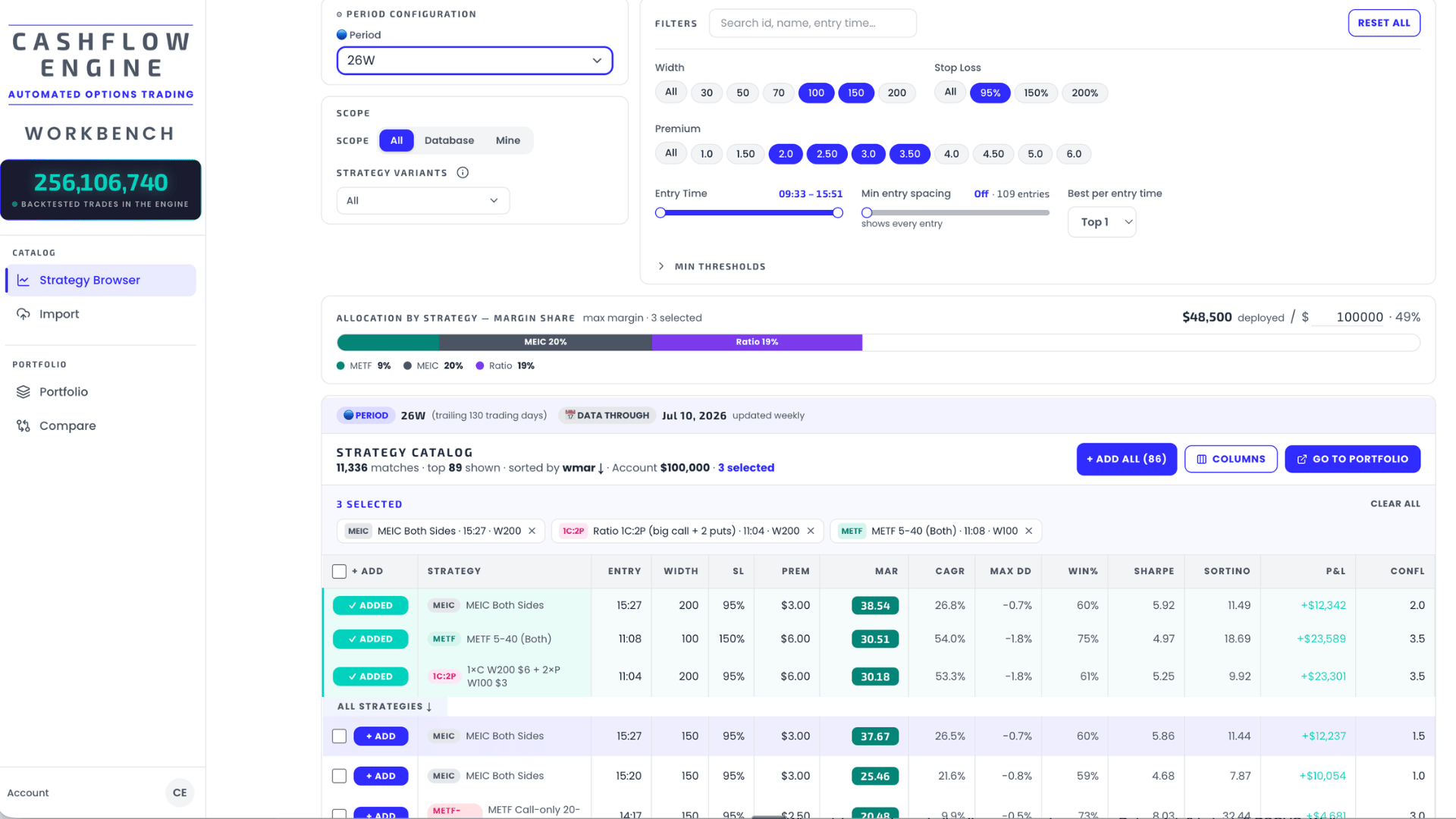
Pick the backtest period you want to evaluate over, then narrow the catalog — Multiple Entry Iron Condors (MEIC), METF, ratio spreads and more — down to a shortlist. Filter by parameters like premium, spread width, and stop loss; set thresholds on risk metrics like max drawdown; then send the keepers to your portfolio.
→ Details in Strategy Browser.
2. Build
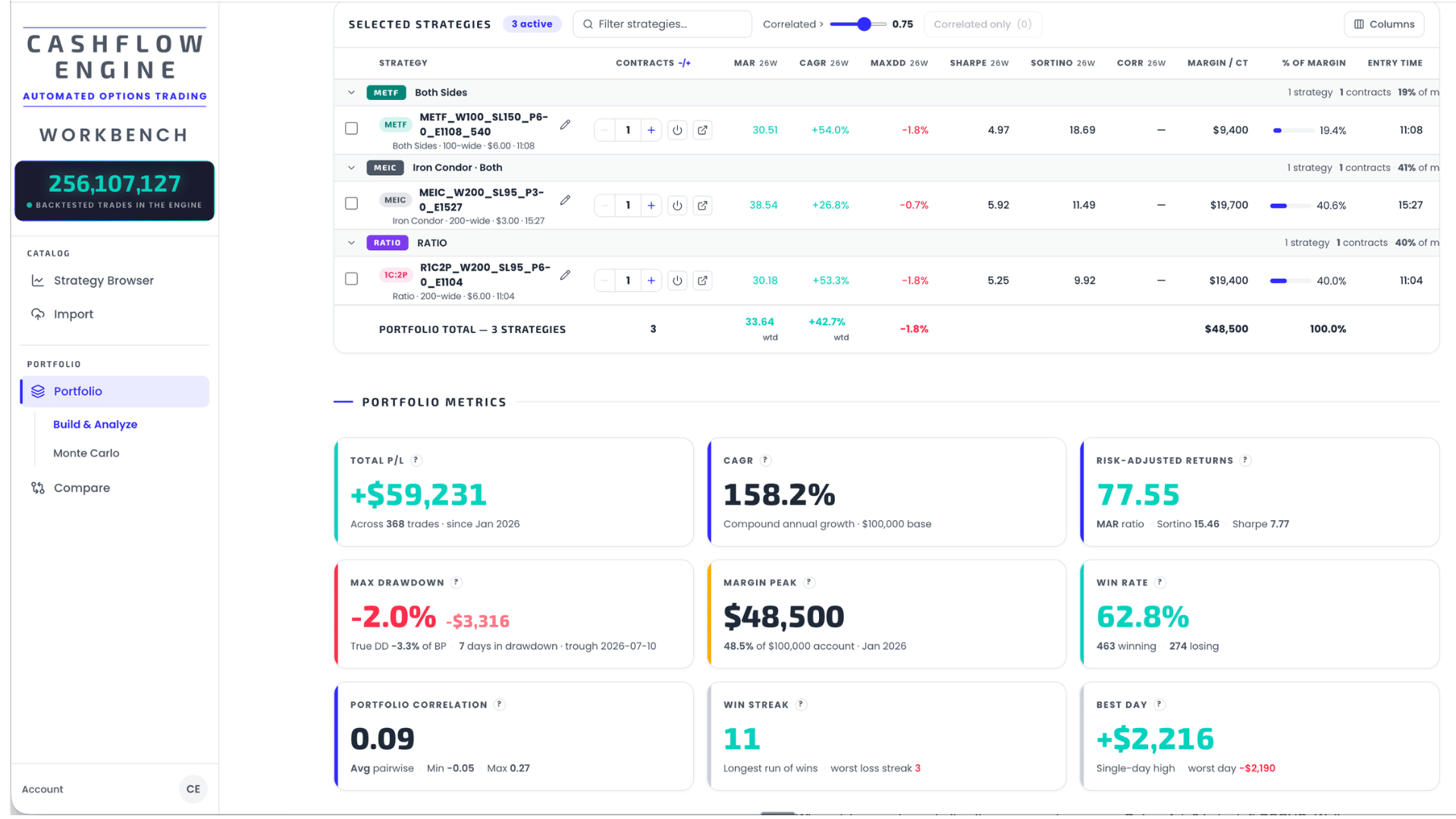
Turn the shortlist into a portfolio: save or import one, drop strategies that don't earn their place, and scale contract counts per strategy. Judge the whole construction — equity curve versus SPX, margin load, correlation between strategies, and day-of-week and entry-time breakdowns.
→ Details in Portfolio Builder.
3. Stress-test
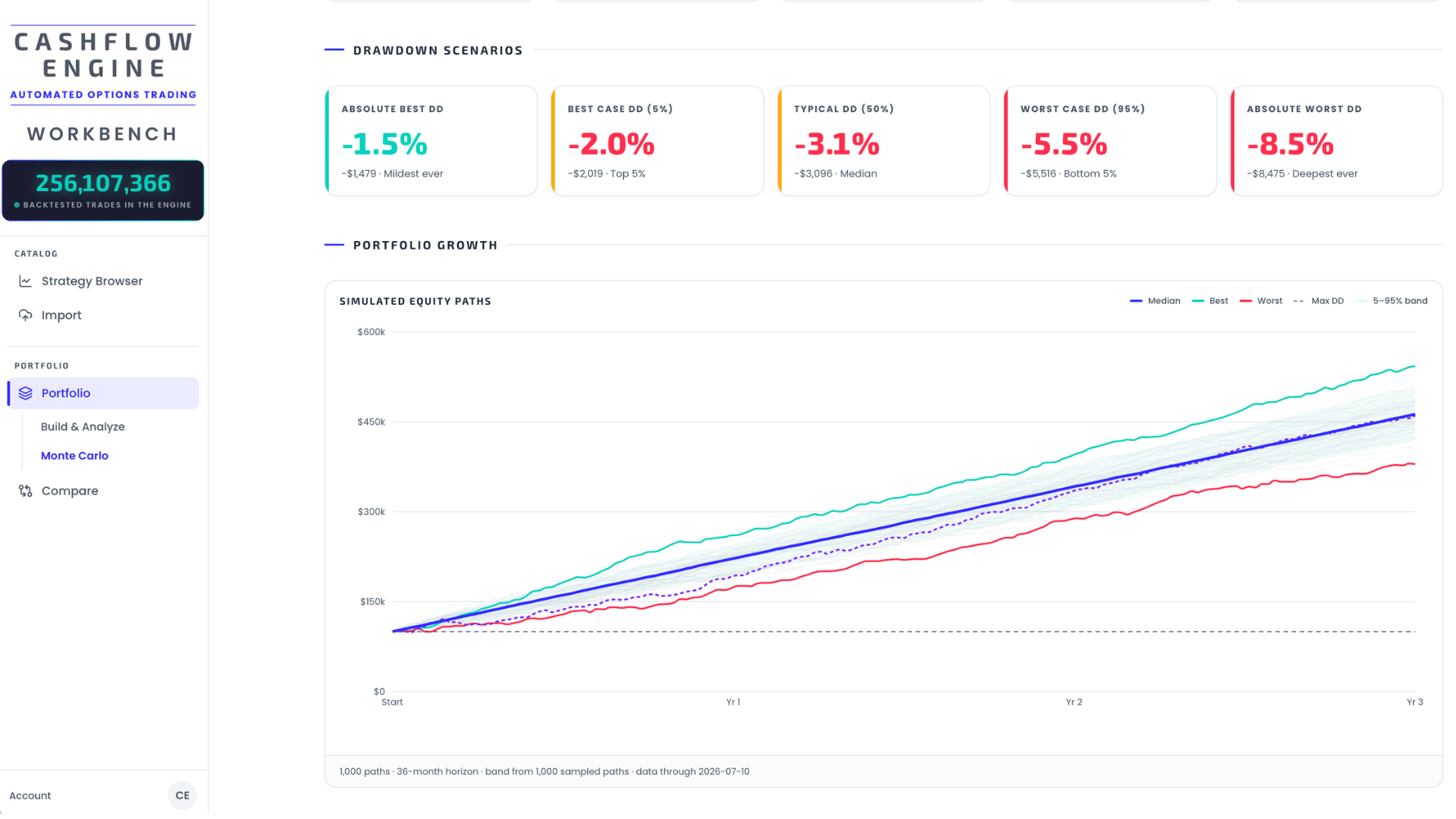
One historical path is one draw from the distribution. The Monte Carlo simulation resamples your portfolio's trades into thousands of alternative paths — you set the time frame and number of runs — so you can read the sequence risk and drawdown distribution instead of a single lucky (or unlucky) history. Want it harsher? Inject extra bad days and see what breaks.
→ Details in Stress Testing — Monte Carlo.
4. Compare
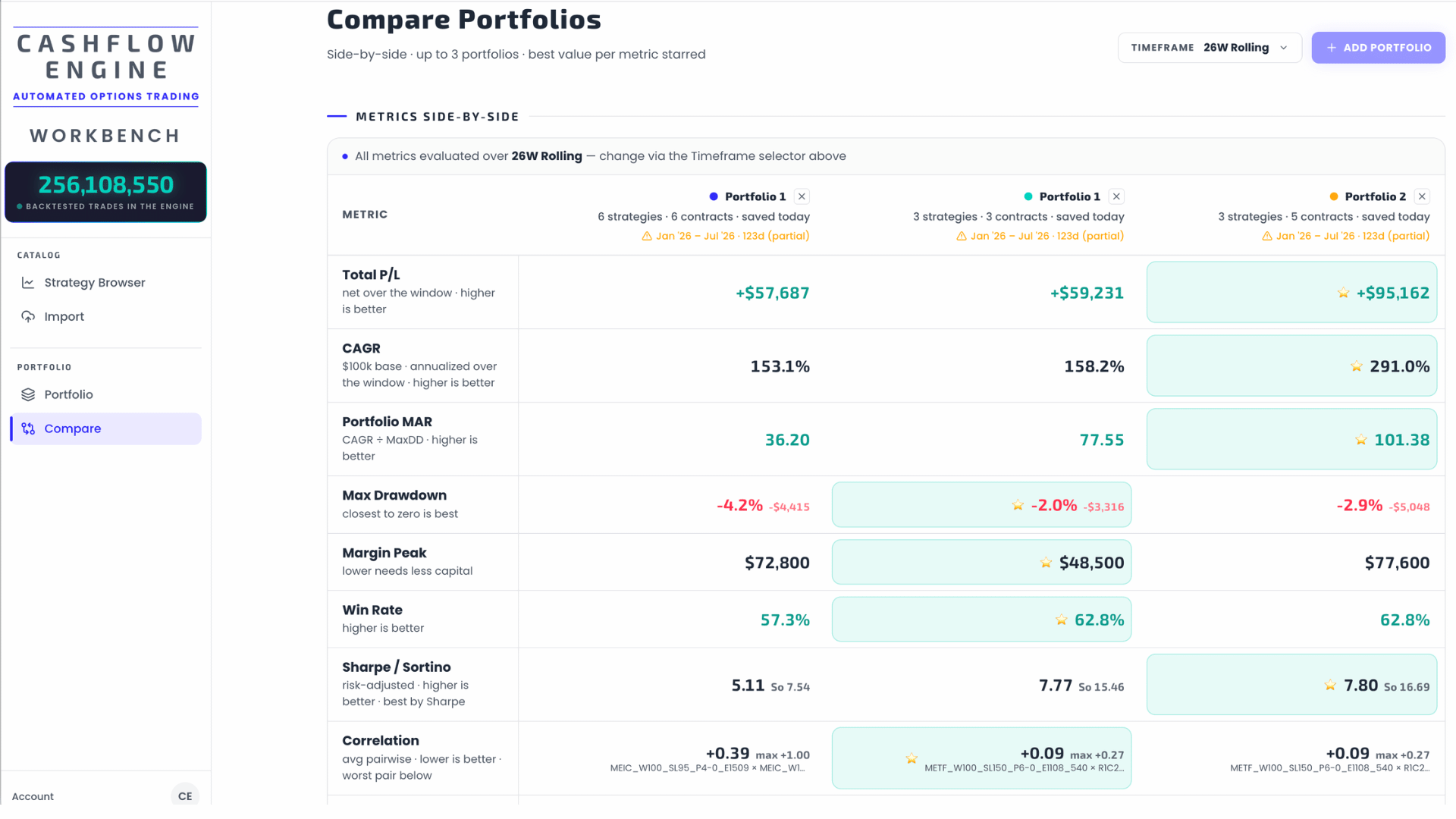
Put candidate portfolios side by side on the same KPIs, curves, and charts. The point is to spot which construction holds up across metrics — not which one merely looks best on the single number you happened to sort by.
→ Details in Compare.
5. Export
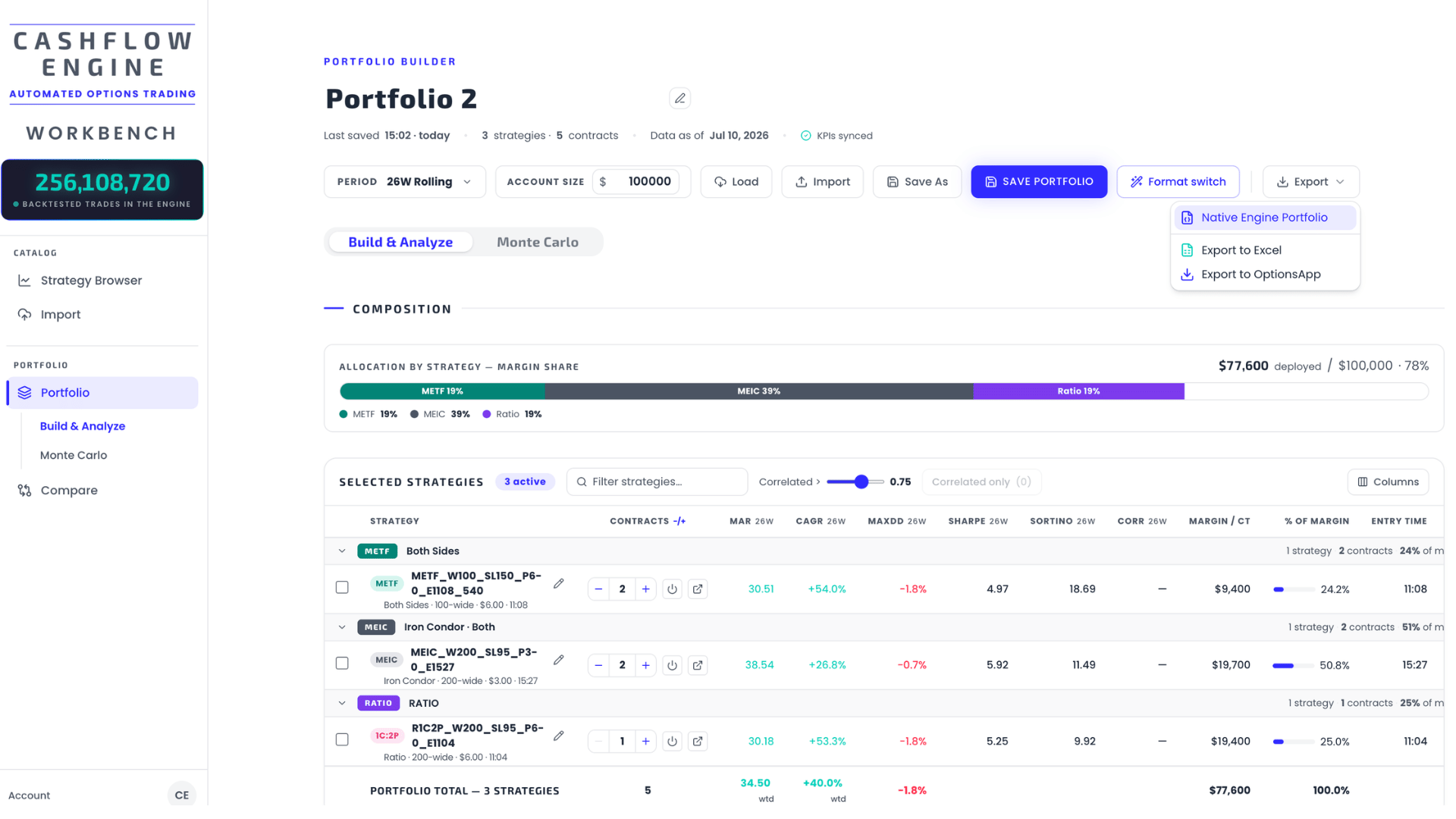
Take the winner with you. Export the portfolio as the native engine format (to share or re-import), as an Excel workbook for deeper offline analysis, or as OptionsApp-compatible files if you automate through your own broker connection.
→ Details in Exports & Integrations.
Then the loop repeats
Markets drift and new backtest data arrives continuously, so a portfolio is a living construction: revisit the browser, re-run the stress test, compare the incumbent against challengers, and re-export. The Quickstart walks the loop once, end to end, in about ten minutes.
Get the weekly 0DTE research email
Research notes and product updates, straight to your inbox. Unsubscribe anytime.